Infinite runner game loop
Learn how to build a model with an infinite runner Game Loop. Difficulty Factor Open the diagram: Interactive diagram for Infinite Runner Game Loop.

Hit PLAY on the diagrams embedded throughout this example.
1. Sprint & Distance
Players △ Sprint → 5 meters/Step. ◯ Distance keeps track of how far they get.
- △ Sources produce Resources
- Sprint generates meters
- → Resource Connections transfer Resources
- The amount of meters Sprint generates is stated by the
5on the meters Resource Connection’s Formula
- The amount of meters Sprint generates is stated by the
- ◯ Pools collect Resources
- Distance keeps track of the distance (meters) the player runs
2. Difficulty Factor
△ Sprint generates ◯ Distance AND a ◯ Difficulty Factor. Distance is generated for each Step. The Difficulty Factor is generated once every 2 Steps.
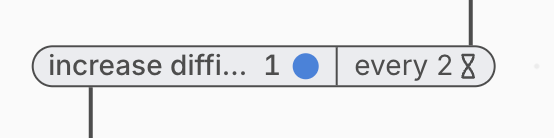
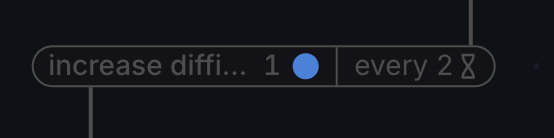
The Formulas on → Resource Connections set the rules of the flows.
In this case, the connection works in intervals. It sends 1 Resource every 2 Steps.
3. Coins
- ⇢ State Connections change the state of elements on the diagram
- We use the ◯ Distance Pool to determine how many Coins the players get, depending on how far they get
- Each of the 3 State Connections leaving the ◯ Distance Pool do 3 things:
- Take feedback from ◯ Distance (how far did the player get)
- Check the condition of their Formula
- Deactivate/Activate the output △ Sources
- Upon activation, the △ Sources generate ◯ Coins
- The ◯ Coins Pool keeps track of the amount accumulated by the player
4. End Run
If the ◯ Difficulty Factor is >1, then generate ◯ Obstacles.
Each ◯ Obstacle can cause the player to crash.
The ◇ Chance of Error is →10%.
If the ◯ Player Crashes, End Run.
- ◇ Gates distribute Resources
- The dice symbol on the “Chance of Error” Gate denotes that the distribution is random
5. Difficulty Factor Feedback
With each increase in ◯ Difficulty Factor, the → chance of Error increases by ⇢ 1%.
Selected models to Play and remix: Selected feedback loop models.