State connections
In this section, we introduce State Connections: a versatile component used to implement advanced game logic into your model.
In this section, we introduce State Connections: a versatile component used to implement advanced game logic into your model.
Unlike Resource Connections, which are used solely to transfer resources, State Connections have many functions and applications. It is best to think of them like a piece of logic or code.
State Connections take information about the origin node and transmit it to the target node.
Activators
Activators are State Connections which evaluate the state of their origin node. If the evaluation is true, the target node is enabled. Otherwise, the target is disabled. In the Properties panel, an Activator is a State Connection whose Type is “Enable while”.
Activators are useful for stopping certain actions in the model from taking place, such as stopping an enemy from dealing damage when its health is reduced to 0.
When an Activator evaluates as false, the target will turn gray, indicating that it has been disabled. Disabled components will not influence, or be influenced by, other components until they are enabled again.
In the examples above, only the first and fourth conditions evaluate as true, meaning only the first and fourth Sources are permitted to generate resources.
Above, we’ve used an “==0” Activator to make it so that the player can only begin building a new House once the current one has been completed.
In words, this setup means “If no houses are currently being built, the player is able to build a new one. If one is being built, they are not.”
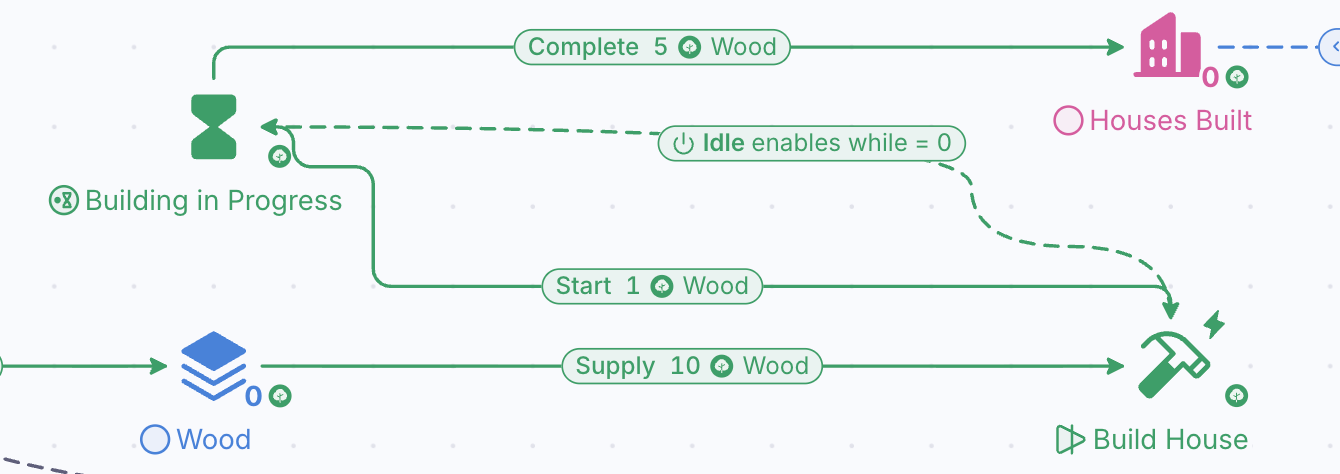
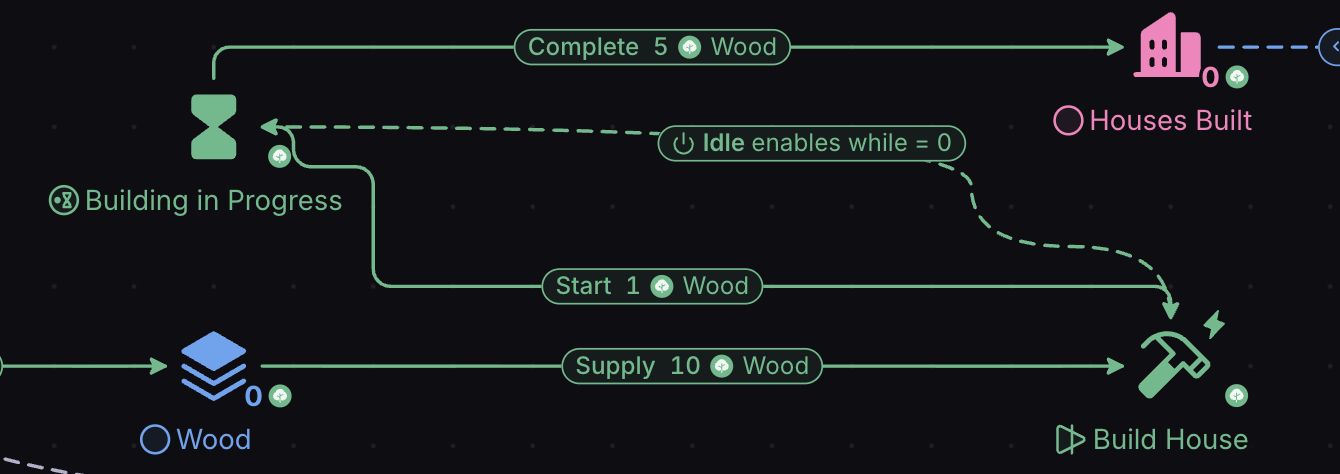
If a resource is inside the Building in Progress Queue, that means a house is currently being built, meaning the state connection evaluates to false (1==0 is false). The state connection then deactivates the Build House Converter, which in turn stops the action of building houses from occurring.
Once the resource exits the Queue, the state connection evaluates to true (1==1 is true) and re-enables the Converter.
Modifiers
Modifiers are State Connections which modify the state of the target node according to the value in the origin node.
Target nodes can be connections (specifically, their formula) or Pools.
In the Properties panel, a Modifier is a State Connection whose Type is “Change value”. The “=” modifier is the Formula “Overwrite”, and a “+X” modifier is the Formula “Add change” with X in Multiplier.


The “=” modifier simply copies the value in the origin node to the target node.
“+X” or “-X” modifiers wait for any change in the origin node’s value, then transmit X lots of that value to the target node.
In our model, we want Workers to help the player loot building materials. Let’s say that each worker brings back 5 items per minute/step. We can use a “+X” modifier to achieve this.
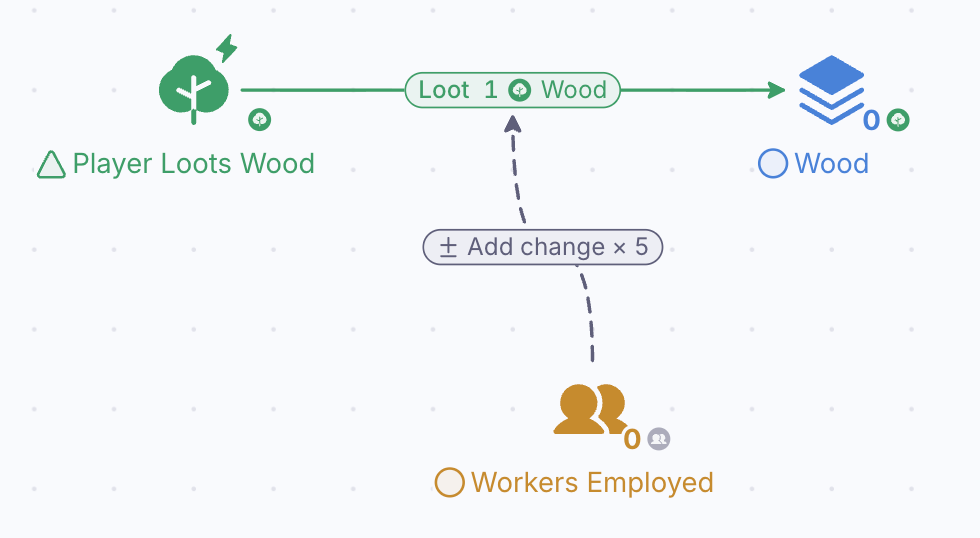
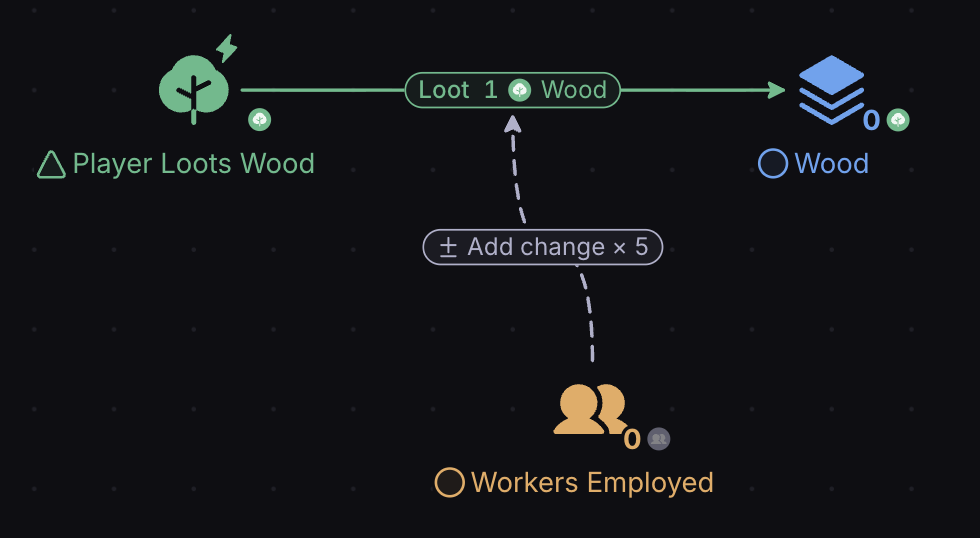
The Modifier-type State Connection we’ve added means that for each worker that’s hired, 5 extra resources will be generated by the Looting Source (we’ve renamed the Source to reflect the fact that it’s no longer just the player looting).
In our game, we want Houses to be used to hold workers, with each house containing two Worker Beds.


Here, the +2 modifier waits for a change in the number of Houses Built, then applies that change twofold to Worker Beds.
You can learn more about other applications of State Connections in the article Labels, Formulas, Intervals.