Leveling up
Learn how to spend experience points to increase the level of the player, character, entity, or any other entity that can be leveled up.
In this part of the tutorial, you will learn how to spend experience points to increase the level of the player, character, entity, or any other entity that can be leveled up.
Storing the current level
As you did in the previous part of the tutorial, it is necessary to create pools to store anything:
- Add a new pool by selecting the component from the toolbar or using the keyboard shortcut “p”.
- Place it in the canvas to the right of the “XP” pool.


- Type “Level” into the label at the top of the Properties panel and press “Enter” or click anywhere in the window.


- With the “Level” pool selected, type “1” in the Initial quantity box of the Properties panel. This will cause the diagram or the player, in this case, to always start from level 1.
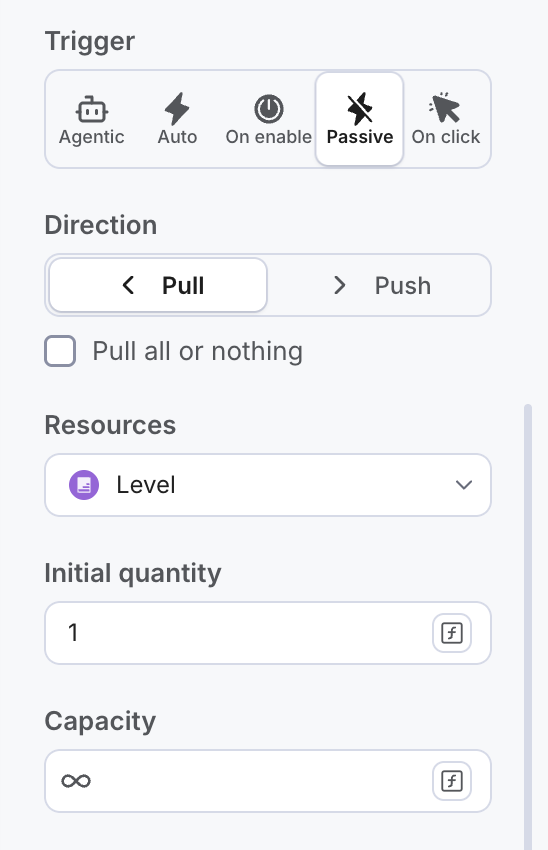
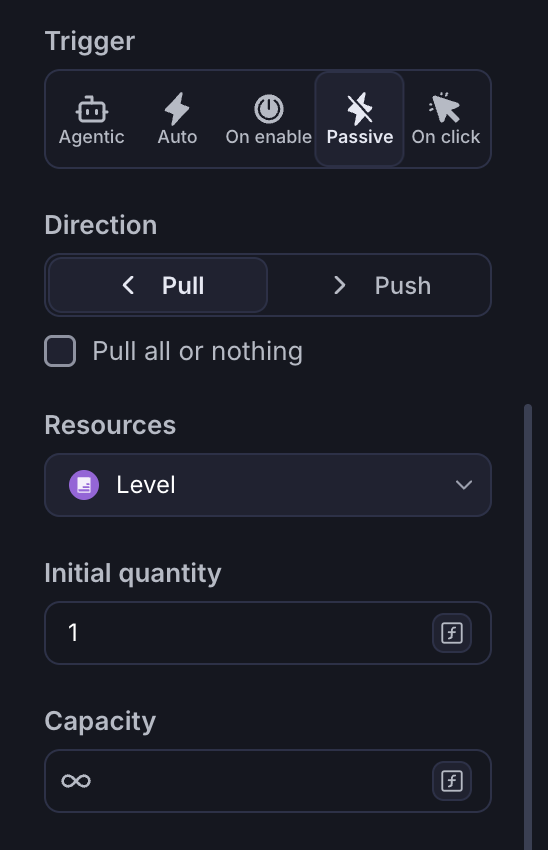
Make sure that the resources in the Level Pool are set to 1. If the pool starts with 0 resources, the player’s level is initialized with 0 and we wont be able to compute the level progression formula.
Tip: while you Play, a Pool shows how many resources it holds as a number inside its circle.
Using XP to level up
Whenever a player has 100 XP, they can use them to level up. In this situation, the XP resource will be transformed into a Level resource. Converters transform one type of Resource into another. You can use this to your advantage and convert the XP Points into a Player Level.
- Click the Converter icon in the toolbar or use the keyboard shortcut “v”.

- Click on the canvas between the “XP” and “Level” pools to place the converter in the diagram.


- Click the name at the top of the Properties panel and type “Level Up”.
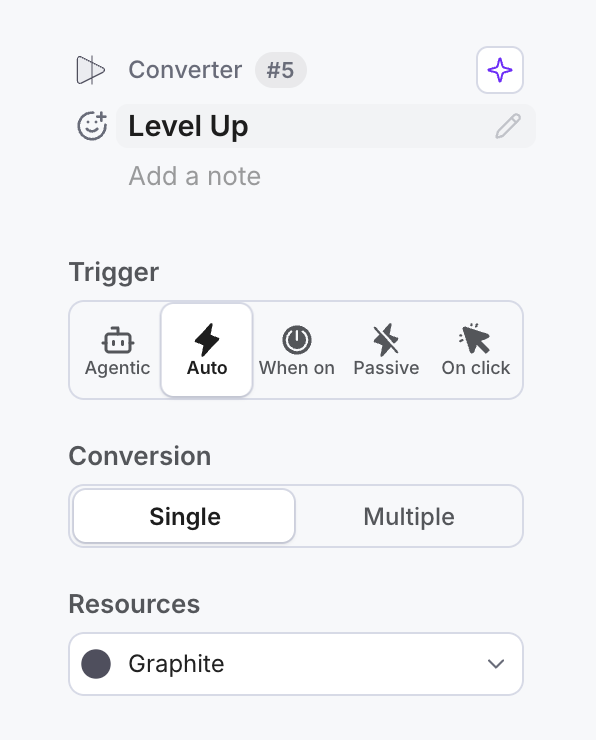
- Hit “Enter” or click anywhere to confirm.
For converters to work, it is necessary to have at least one Resource Connection as input and only one output Resource Connection. The converter will transform 100 XP into 1 level every time the player has at least 100 XP.
Let’s connect the converter to the “XP” and “Level” pools:
- Select a Resource Connection (or use the shortcut “c”) from the toolbar.

- Click on the “XP” pool to start the connection.


- Click on the Converter to finish the connection.


- To define the XP cost for the conversion, type “100” in the amount box under Type (number) and hit Enter to confirm.
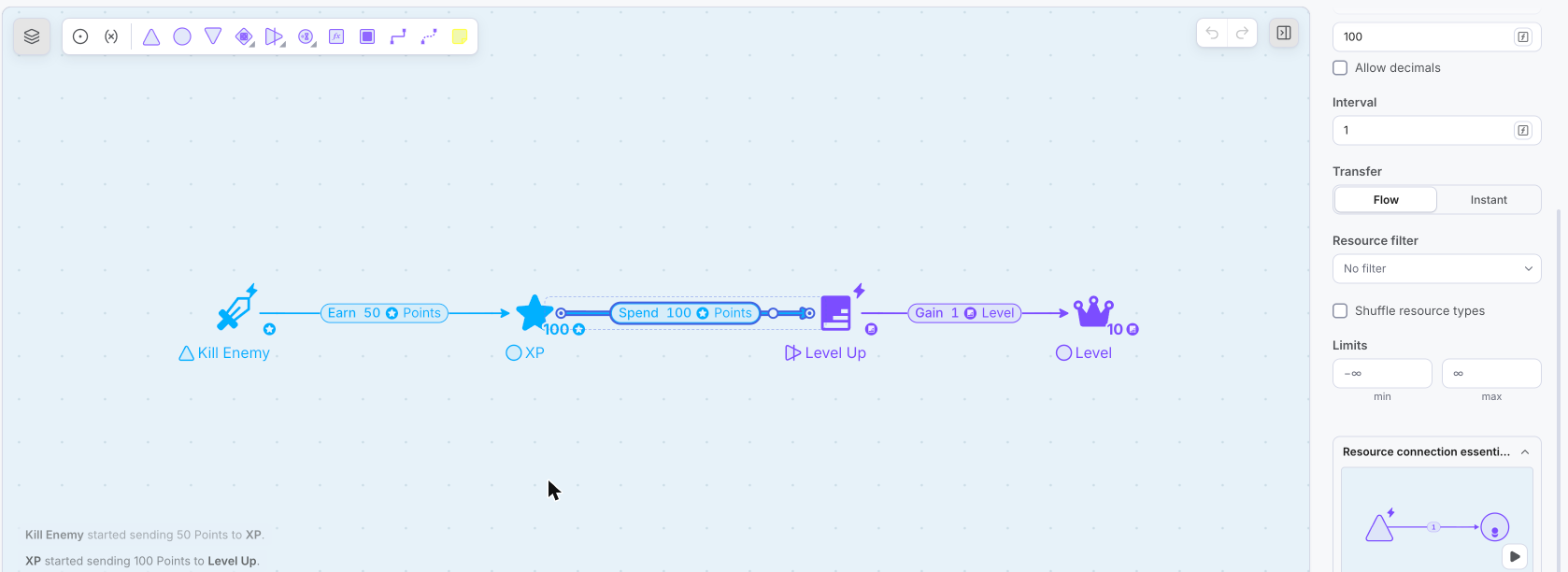
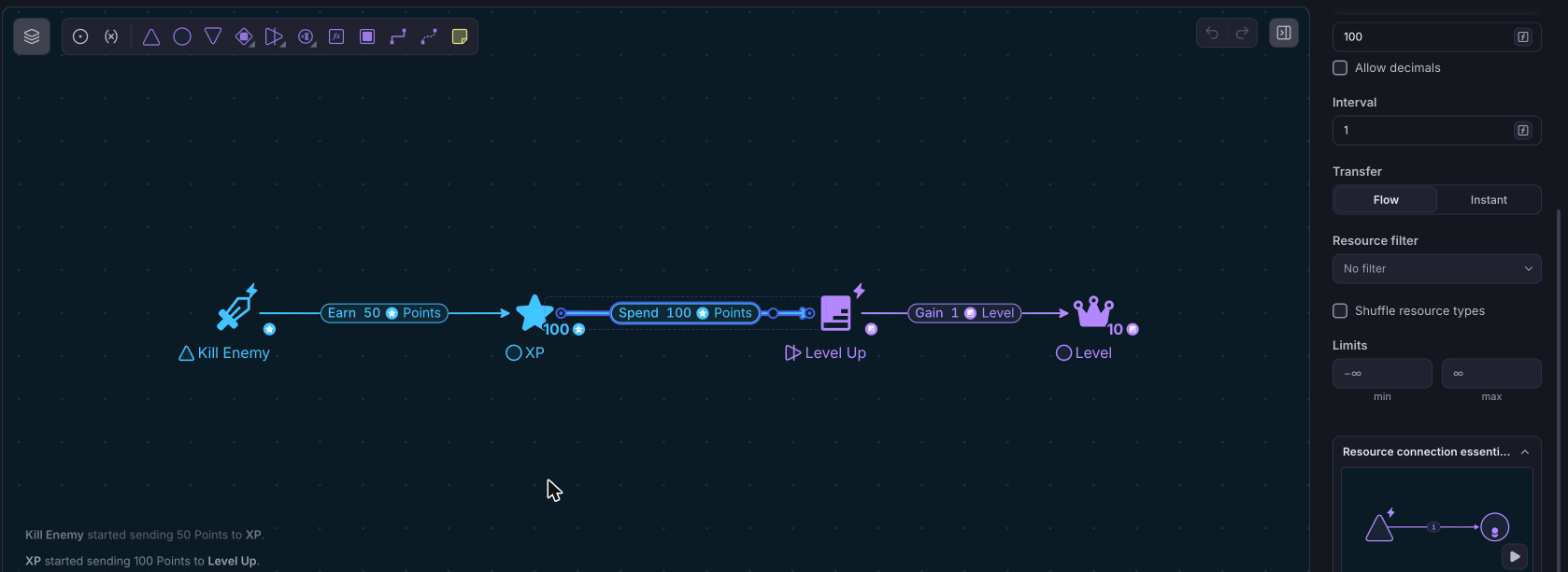
- Select another Resource Connection (or use the shortcut “c”) from the toolbar.
- Click on the Converter to start the connection.
- Click on the “Level” pool to finish the connection.


- As every time the player levels up, their level increases by 1, the formula of the Resource Connection does not need to be changed. The formula in the Resource Connection in the output of the converter defines how many resources will the XP be converted.
- Press “Play” and analyze how the diagram is behaving. Why is the player not leveling up even if they have more than 100 XP? This is because the conversion needs a trigger.
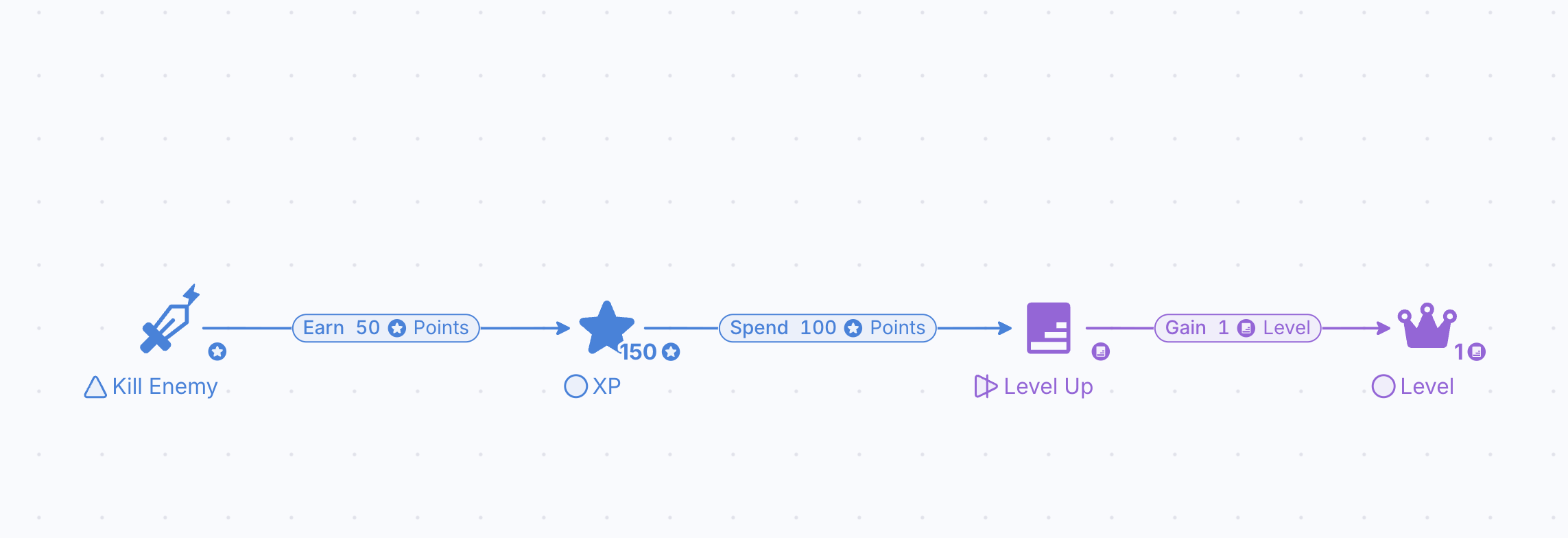
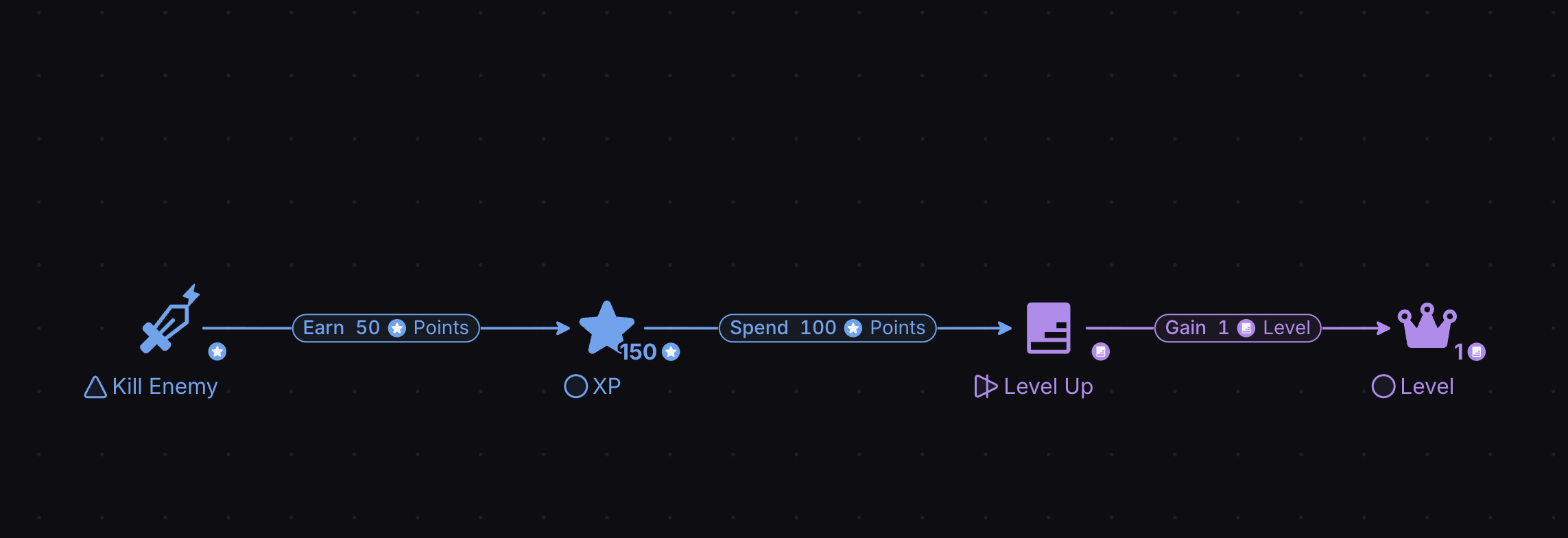
By default, Converters work in whole numbers: a decimal amount on their connections is rounded. Avoid decimal values as input for them, unless you switch on Allow decimals on the connection.
If resources are not flowing from one node to another, then one of these nodes needs to be triggered. In this example, the converter is not working, so you need to set a trigger:
- Select the converter “Level Up” in the canvas.
- Click Auto in the Trigger row of the Properties panel. You will see the converter now has a lightning bolt on top.
- Press “Play”. You will see that once the player has at least 100 XP, these points will be converted into one level.