Converters: Creating houses
Use Converters to turn collected wood and stone into houses in the introductory Loot and Craft model. In this project, Wood and Stone are the inputs.
A Converter uses resources from its input connections to produce an output. In this project, Wood and Stone are the inputs, and a House is the output. Give the Converter a name that makes this rule clear to anyone reading the diagram.
Turn materials into houses
Connect both resource Pools to a Converter named Build a house, then connect its output to the House Pool. The input formulas describe the required amounts. If a required resource is missing, the house cannot be produced.
Set the costs
Select the connection from the Wood Pool to the Converter and type 5 as its value in the Properties panel. Do the same with 2 on the connection from the Stone Pool. Leave the output connection to the House Pool at 1, so one house is produced each time the Converter acts. If you Play now, Wood and Stone fill up but no house appears, because nothing triggers the Converter yet. The next section sets the trigger.
Converters are used whenever you want to convert resources received as an input into any output you want.
Some applications are:
- Increase the resources you receive (for every resource, you get 10 resources)
- Reduce the resources you receive (for every 100 resources, you get 1 resource)
- Consume resources received and create another resource
Overall converters receive resources which are drained (so they disappear from the system) and generate new resources.
Converters can take one or more inputs and have only one output.
Resource connections that are inputs to converters are the requirements, that is, the resources needed to perform the conversion.
The formula of these resource connections define the costs of the resources
The resource connection that is the output of converters is the production, that is, the resources that are generated after the conversion has been completed.
The formula of this resource connection indicates the amount of resources produced.
If one of the requirements of the converter is not met, then it will not produce anything. That is, if it needs 10 resources from pool A and 5 resources from pool B, it will not produce anything unless it has that number of resources
It is always recommended to set the name of the converter to know what resources it generates or the action it takes.
In our project, the action is “Build a house”.
A Trader (press X) is the Converter’s sibling: it swaps resources between two parties.
For more information about converters, please refer to the documentation page:
Triggering components
After the connections are in place, check when each component acts. A trigger tells Machinations when to move or create resources. For the house-building rule, set the Converter's Trigger to Auto in the Properties panel, so it acts on every step of a Play.
Triggers need to be set to transfer resources from one component to another. If none of the components of a chain of components has a trigger, then resources will not move or be generated.
The most common triggers are:
Auto
The component will perform an action every Play step.
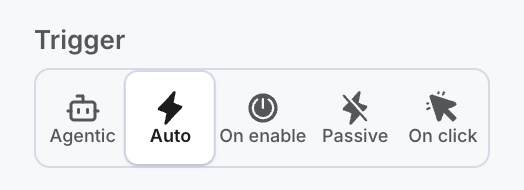
When you create a source, it already has the “Auto” trigger symbol, so it will generate resources by default.
However, the converter is set to “Passive” by default, so it does not perform any conversions. Therefore, you need to set how it triggers in the properties panel.
For more information about trigger modes, please refer to the documentation page: