Debugger
The Machinations debugger monitors every error and warning detected by the orchestrator during diagram creation and while an interactive play is running.
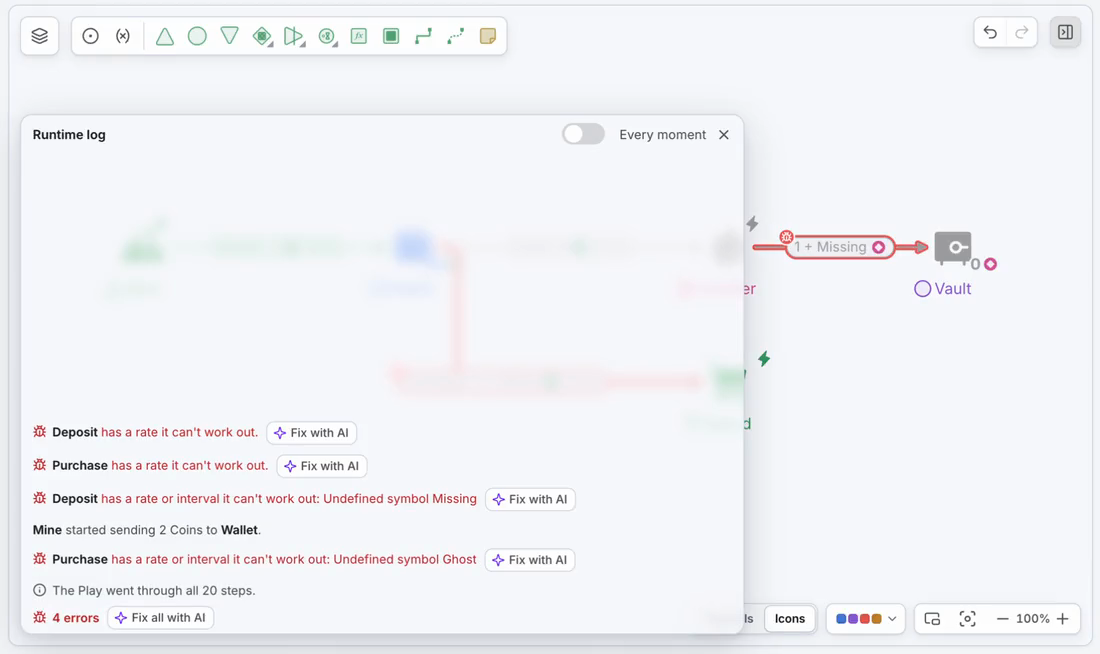
Creating extensive diagrams to represent intricate economies and models can sometimes be a challenging task. As such, without fail, even experienced designers don’t always get their expected results on the first iteration of the diagram. To aid in this process, the debugger was implemented with the main purpose of helping prevent, identify, and resolve potential issues that may arise while creating diagrams.
What are the most common issues in Machinations?
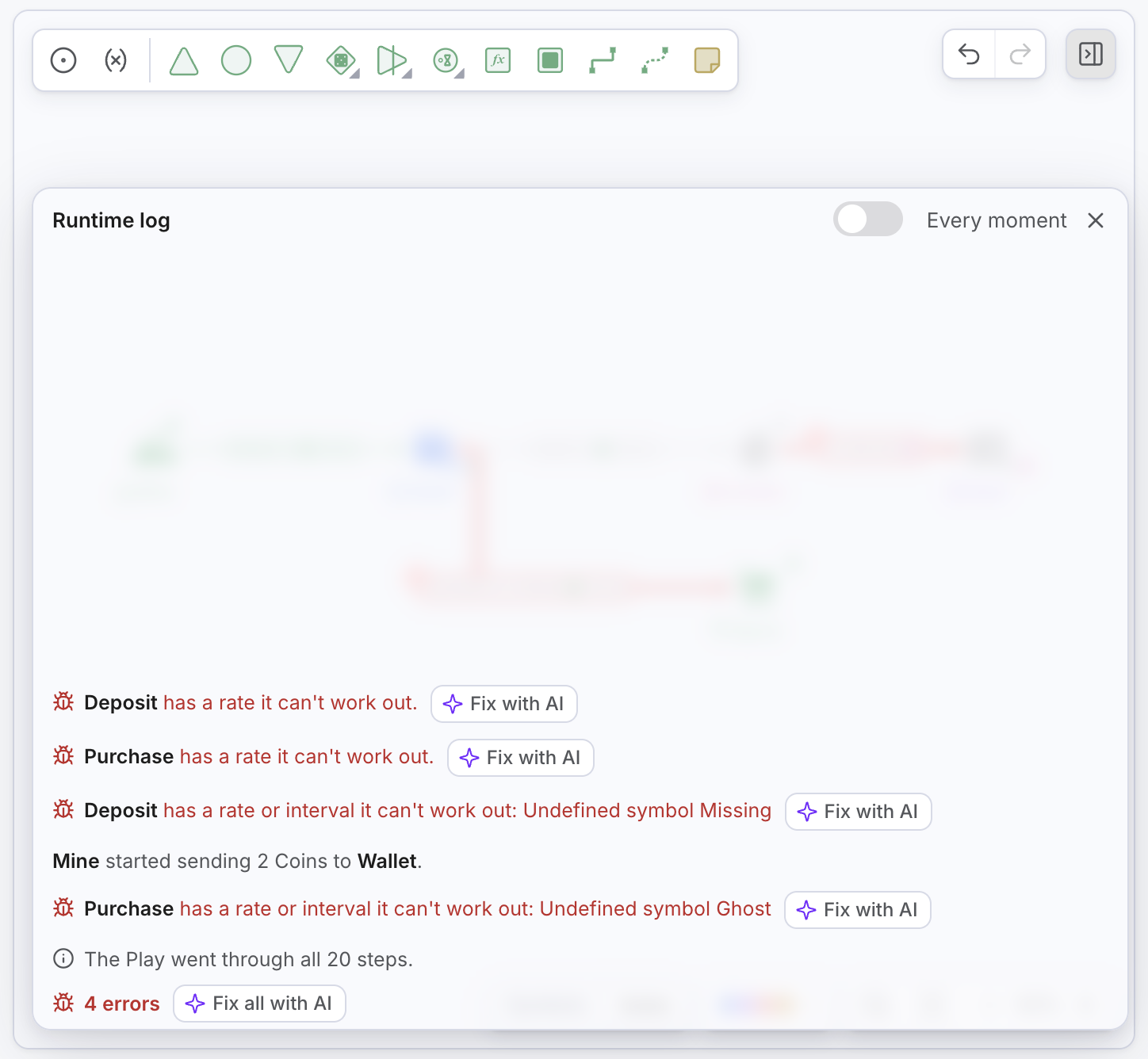
The Runtime log is on the canvas, at the bottom left, on the same row as the zoom controls. Closed, it is one row that shows the newest line, the number of errors and warnings, and Fix all with AI when the Play reported errors. Earlier lines float above it and grow fainter the higher they sit.
- Open it: click the bar or press L. Escape, a click on the bar, or a click anywhere else closes it. Resting the pointer on the floating lines shows the same log as a preview.
- Read a line: each line is a plain sentence about a component, for example that a Pool ran out of a Resource, or that a component cannot act and why (for example “Node disabled by an activator” or “Connection disabled due to missing or disabled origins or targets”).
- See when it happened: hover a line to show a step badge. Problems found before the first step are marked Before step 1.
- Every moment: switch it on in the open log to also see every change in a Pool and every flow that stops or starts again.
How to read the debugger

- The component the line is about, shown by its name or label. Click it to select the component on the canvas;
- The message that says what happened, or what is wrong and why the component is not acting;
- A Fix with AI button on error lines, which asks the Agent to fix that error. Fix all with AI in the bar does the same for every error the Play reported.
Prevention is always the key! The error detection process can start with the first nodes added to the diagram. The first action of the debugger is to check for compilation issues before a Play. Lines marked Before step 1 were found before the first step of a Play ran.
When all compilation errors are detected, you can Play the diagram to check how it is executed. In each step, the debugger monitors each time a node is disabled due to an unexpected cause, such as missing connections, incorrect node types, misused parameters (called custom variables in older guides), and many more.
Clicking on any line in the Runtime log will select the component it is about directly on the diagram, and move the view to it if it is off screen! This includes errors on the custom variables panel. As such, editing the node and resolving the issue is convenient and easy.
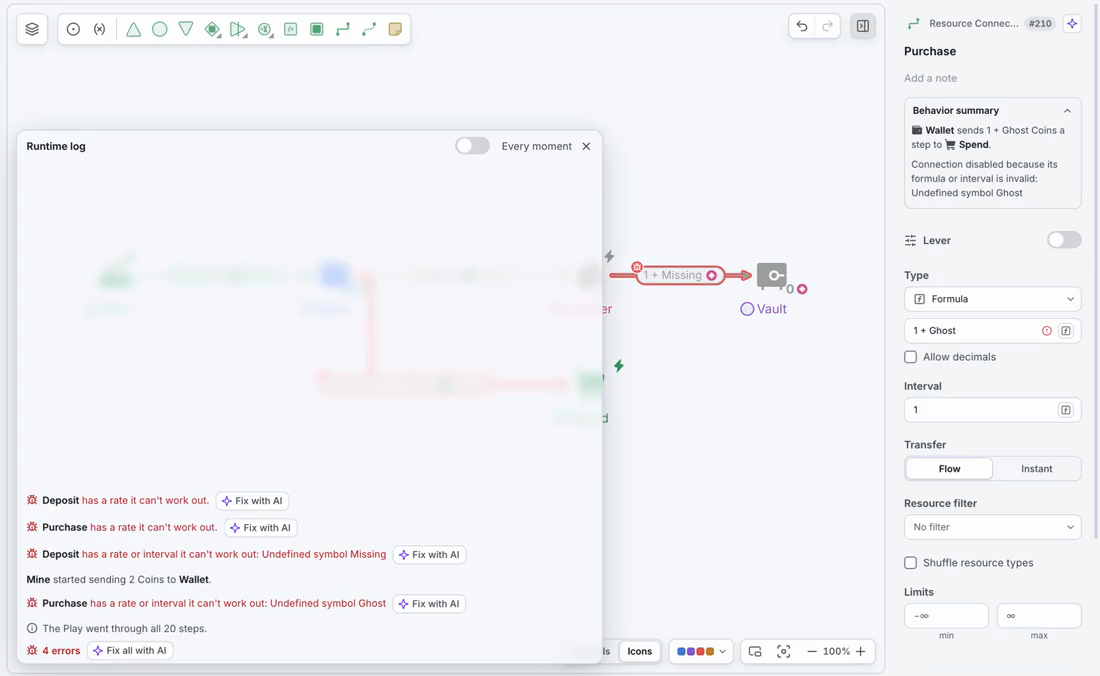
When a step has many lines, the log folds some of them behind a Show more button; Show fewer folds them again.
What issues are detected by the debugger?
Currently, the debugger is in its first iteration and the logged errors are not refined yet.
Several problems, like misspelled variable names are not defined in the app and are not visible in the debugger. We are constantly working to improve this functionality and updates will be launched regularly. If you have any feedback, improvements, or any suggested issues that should be added to the debugger, please contact us on the dedicated chat.
Here is a list of Execution errors detected and displayed by the debugger during an interactive play:
- Missing input state connection
- Missing active output state connection
- Missing active output resource connection
- Missing active input resource connection
- Pool missing resources, active input resource connection, or active input Node Modifiers
- Missing input connection or trigger
- Traders require exactly two different color coded Resources as input and output. Make sure Color Coding is ticked.
- Traders require exactly two pairs of active Resource Connections differentiated through color coding. Make sure Color Coding is ticked.
- Traders require all active input Resource Connections to be color coded, even if one of the colors is the default Black. Make sure Color Coding is ticked.
- Traders require all active outputs Resource Connections to be color coded, even if one of the colors is the default Black. Make sure Color Coding is ticked.
- Converters require at least one active input Resources Connection and exactly one active output Resource Connection.
- Missing origin Node
- Missing target Node
- Connection disabled due to missing or disabled origin or targets
- Connection disabled because of invalid formula
- Trigger connection disabled because target is disabled
- Connection disabled because disabled origin
- Missing at least one active output resource connection
- Resource connection disabled due to incompatible target
- Trigger connection disabled because it’s source is a gate with active input resource connection
- Connection disabled due to infinite looping resources
- Component disabled due to conflict on activation
- Gates require all their active output State Connections to be of the same type: conditional or random
- Node disabled by all activators
- Register disabled due to dependency on the input chain
- Node disabled due to infinite loop detected
- Interactive registers can not generate trigger
- Delays cannot have more than one active output Resource Connections
- Gates require all their active output Resource Connections to be of the same type: conditional or random
- Register output State Connection cannot target to a<Node name>
- Connection disabled because of the origin not being a number
During the diagram-building phase (named compile in the debugger), the debugger will report the formula issues detected in the Math.js library. On the following list you can find the potential errors defined in this library:
- RangeError: invalid array length
- RangeError: invalid date
- RangeError: precision is out of range
- RangeError: radix must be an integer
- RangeError: repeat count must be less than infinity
- RangeError: repeat count must be non-negative
- RangeError: x can’t be converted to BigInt because it isn’t an integer
- ReferenceError: “x” is not defined
- ReferenceError: assignment to undeclared variable “x”
- ReferenceError: can’t access lexical declaration ‘X’ before initialization
- ReferenceError: deprecated caller or arguments usage
- ReferenceError: reference to undefined property “x”
- SyntaxError: “0”-prefixed octal literals and octal escape seq. are deprecated
- SyntaxError: “use strict” not allowed in function with non-simple parameters
- SyntaxError: “x” is a reserved identifier
- SyntaxError: JSON.parse: bad parsing
- SyntaxError: Unexpected ‘#’ used outside of class body
- SyntaxError: Unexpected token
- SyntaxError: Using //@ to indicate sourceURL pragmas is deprecated. Use //# instead
- SyntaxError: a declaration in the head of a for-of loop can’t have an initializer
- SyntaxError: applying the ‘delete’ operator to an unqualified name is deprecated
- SyntaxError: await is only valid in async functions, async generators and modules
- SyntaxError: cannot use
??unparenthesized within||and&&expressions - SyntaxError: continue must be inside loop
- SyntaxError: for-in loop head declarations may not have initializers
- SyntaxError: function statement requires a name
- SyntaxError: getter and setter for private name #x should either be both static or non-static
- SyntaxError: identifier starts immediately after numeric literal
- SyntaxError: illegal character
- SyntaxError: invalid BigInt syntax
- SyntaxError: invalid assignment left-hand side
- SyntaxError: invalid regular expression flag “x”
- SyntaxError: label not found
- SyntaxError: missing ) after argument list
- SyntaxError: missing ) after condition
- SyntaxError: missing : after property id
- SyntaxError: missing ; before statement
- SyntaxError: missing = in const declaration
- SyntaxError: missing ] after element list
- SyntaxError: missing formal parameter
- SyntaxError: missing name after . operator
- SyntaxError: missing variable name
- SyntaxError: missing } after function body
- SyntaxError: missing } after property list
- SyntaxError: redeclaration of formal parameter “x”
- SyntaxError: return not in function
- SyntaxError: test for equality (==) mistyped as assignment (=)?
- SyntaxError: unlabeled break must be inside loop or switch
- SyntaxError: unparenthesized unary expression can’t appear on the left-hand side of ‘**’
- SyntaxError: unterminated string literal
- TypeError: “x” has no properties
- TypeError: “x” is (not) “y”
- TypeError: “x” is not a constructor
- TypeError: “x” is not a function
- TypeError: “x” is not a non-null object
- TypeError: “x” is read-only
- TypeError: ‘x’ is not iterable
- TypeError: More arguments needed
- TypeError: Reduce of empty array with no initial value
- TypeError: X.prototype.y called on incompatible type
- TypeError: can’t assign to property “x” on “y”: not an object
- TypeError: can’t convert BigInt to number
- TypeError: can’t convert x to BigInt
- TypeError: can’t define property “x”: “obj” is not extensible
- TypeError: can’t delete non-configurable array element
- TypeError: can’t redefine non-configurable property “x”
- TypeError: can’t set prototype: it would cause a prototype chain cycle
- TypeError: cannot use ‘in’ operator to search for ‘x’ in ‘y’
- TypeError: cyclic object value
- TypeError: invalid ‘instanceof’ operand ‘x’
- TypeError: invalid Array.prototype.sort argument
- TypeError: invalid assignment to const “x”
- TypeError: property “x” is non-configurable and can’t be deleted
- TypeError: setting getter-only property “x”