Balancing software for economies and systems
Tune connected rules toward a goal while watching for unintended effects, with a visible model for the discussion and tools to explore candidate changes.
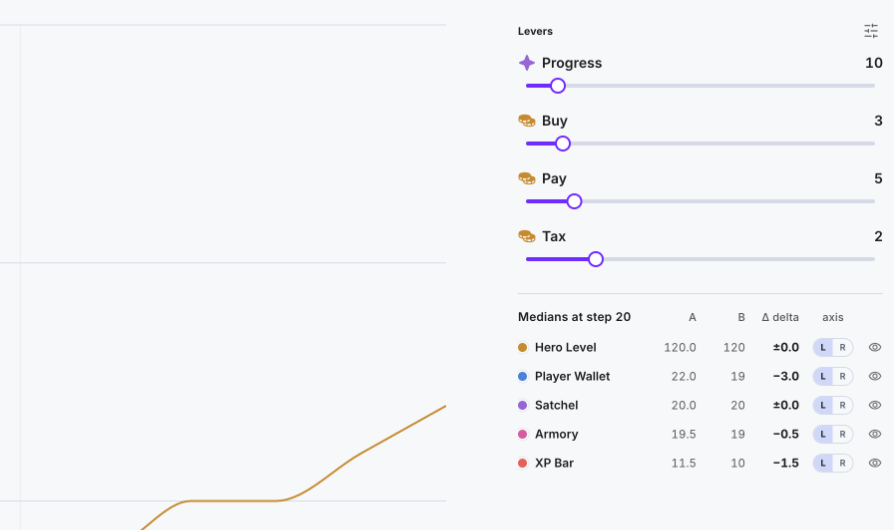
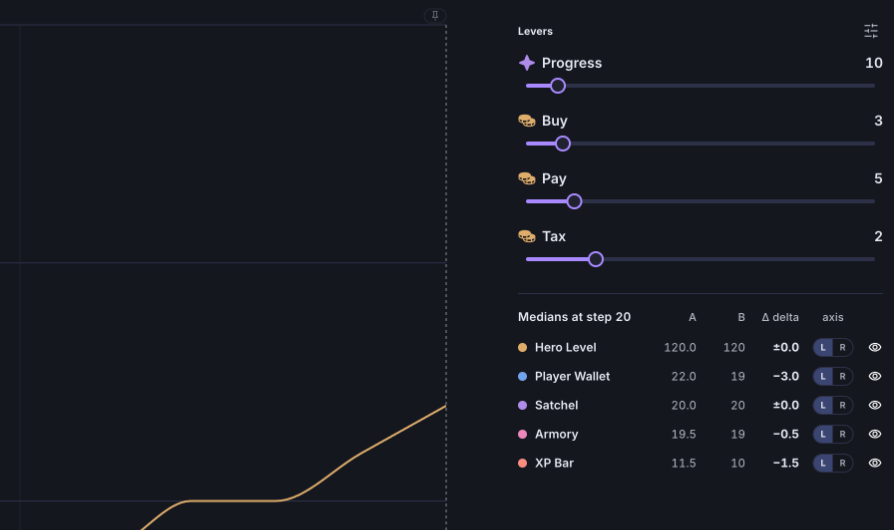
Move the Levers of a model, Forecast what each change does and compare the Outcomes of every Scenario, so a system is balanced on evidence rather than trial and error.
Levers to move
Mark the values worth moving as Levers. Each one gets its own control in the Scenarios tab.
Outcomes to watch
Choose the results that matter, such as a resource level, and read each one as a chart.
Scenarios to compare
Keep each Forecast as a Scenario and compare two versions side by side.
What you can do with it
Iterate on one model
Change a lever, start a forecast and read the outcomes in one place, with earlier forecasts kept to compare against.
Judge a change by its range
Each outcome shows its mean, minimum and maximum, so a change is judged against the spread of results and not one lucky Play.
Agents and the AI agent
Agents act as players or other actors in a diagram, and the AI agent builds and edits diagrams from plain language.
How it works
Diagram
Start with your model
Open any diagram you have already built, or describe an economy to the AI agent and let it build the first version.
Levers
Choose what to move
Mark the values worth moving with the Mark as lever switch on a component. Each one appears in the Scenarios tab.
Outcomes
Choose what to watch
Add the results that matter as Outcomes and read each one as a chart with its mean, minimum and maximum.
Forecast
See the range
A Forecast Plays the model many times, randomness included, and shows the range of Outcomes. It runs on Machinations’ cloud servers.
Scenarios
Compare versions
Keep each Forecast as a Scenario and compare two side by side, then decide which change to make in the model.
Frequently asked questions
How does Machinations help balance a system?
Balancing is the work of tuning connected rules toward a goal. In Machinations you mark the values worth moving as Levers, start a Forecast and compare the Outcomes of each Scenario side by side. The diagram stays visible, so the reason a change had its effect can be inspected.
What are Levers, Scenarios and Outcomes?
Levers are the values worth moving, set with the Mark as lever switch on a component. A Scenario is a Forecast together with the Lever values it used, kept in a list so it can be compared with another. Outcomes are the results you choose to watch, shown as charts with their mean, minimum and maximum.
What is a Forecast?
A Forecast Plays a model many times, with its randomness included, and shows the range of outcomes instead of one result. Machinations’ Monte Carlo Forecasts run on its cloud servers.
What are Agents?
An Agent is a persona with weighted personality traits and the assets it wants. It fires the nodes you choose, so you can Play the model and watch how that kind of player or actor behaves.
What can the AI agent do?
The AI agent builds and edits diagrams from plain language: describe the change you want and review it in the diagram. Working with the AI agent spends Credits, as Plays and Forecasts do.
Does Machinations decide the best values for me?
No. Machinations shows what each change does to the Outcomes you chose, and the team decides what to adopt. Treat a result as a scenario to test against real evidence, and update the model when live behavior differs from its assumptions.
What does balancing use up in my plan?
Plays, Forecasts and the AI agent use Credits. A Forecast Plays a model repeatedly, so a long Forecast can spend more Credits than a single Play. The Pricing page shows the Credits each plan includes.
How does Machinations keep data secure?
Machinations is ISO 27001 certified, which sets stringent data security measures to protect valuable data assets. Machinations maintains the confidentiality, integrity and availability of information, along with proactive risk management and compliance with regulatory requirements.
Start balancing your systems
Mark a few Levers, Forecast a change and compare the Outcomes before you make it.
- ISO 27001 certified
- SSO & SAML
- GDPR compliant
- Trustpilot verified
- Red Herring Top 100
- Dealroom Rising Star